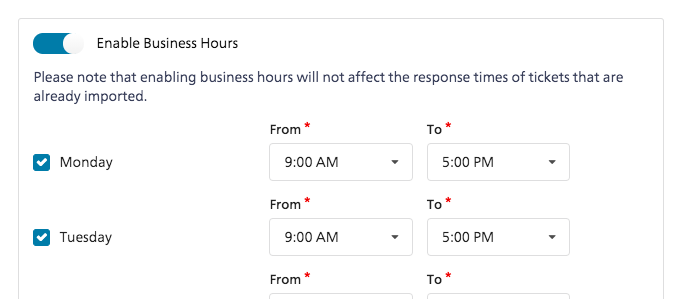
The business hours feature lets you specify the times when your team is available to reply to customers. Setting up business hours lets you see an accurate reporting for response times for your company.
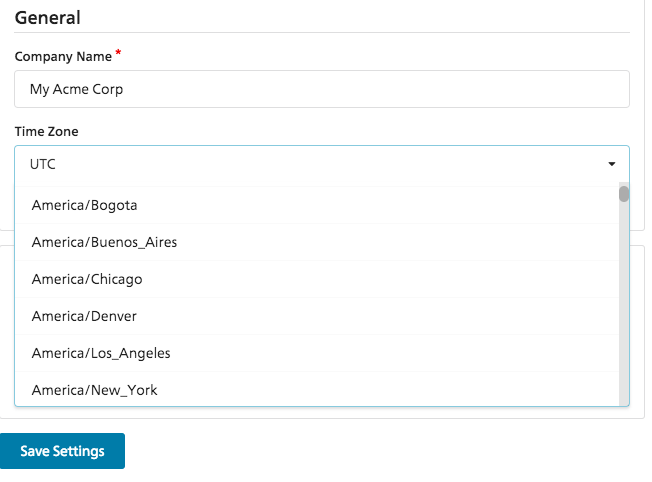
Business hours are always defined according to your company's timezone. You set set this up from Admin > Company
Setting up business hours
You can set it up from Admin > Business Hours
Impact of off-hours responses on reporting
When business hours are set, hours that fall outside of them will not count towards response times. If business hours are not set for the weekend, but if your agents respond on Sunday to tickets received on Saturday, the response time for those conversations will be zero. This is because zero business hours passed between its receipt of those ticket sand the sending of the replies.
Setting up or editing business hours will not change the reporting for past messages. It will only affect future conversations.