When support requests live in a shared Gmail, nothing has an owner
Tickets fall through the cracks because email wasn't built for teams
Your team started with a shared email account. It worked when there were two of you. But now there are five, or ten, and the cracks are showing -duplicate replies, missed requests, no way to know who's handling what. You need every customer request to have a clear owner and a clear status, without switching to a complex system that takes weeks to learn.
SupportBee turns your incoming emails into organized tickets with a simple three-state workflow. Every ticket is Unanswered, Answered, or Archived. Assign tickets to agents or teams. Add labels and internal comments. Search across your entire history. It works like the email your team already knows -but with the structure and accountability that a growing support operation demands.
Everything you need to manage customer tickets
A centralized system to track, assign, and resolve every request
A Simple, Clear Workflow
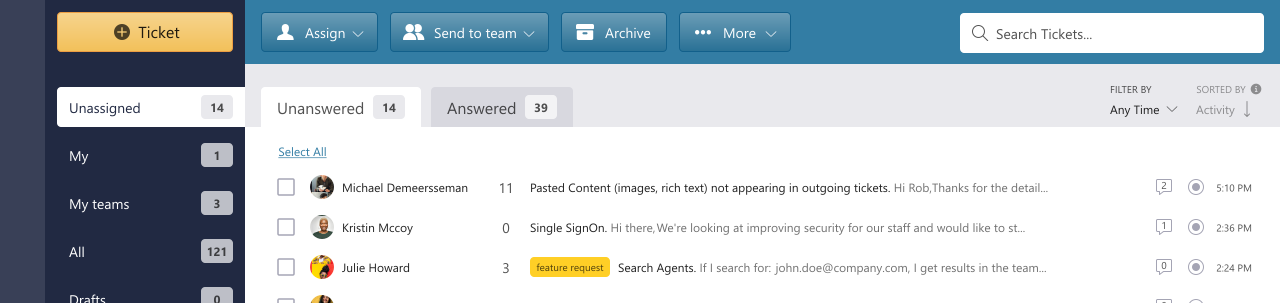
Every ticket in SupportBee is either Unanswered, Answered, or Archived. This three-state workflow tells your team exactly what needs attention right now -no complicated status boards, no custom pipelines to configure. When an agent replies, the ticket moves to Answered. When it's resolved, archive it. If a customer writes back, it automatically returns to Unanswered.
Assign to Agents and Teams
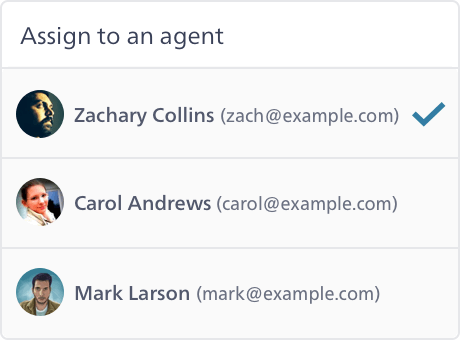
Every ticket can be assigned to a specific agent or an entire team. Assigned agents see their tickets in a private inbox, keeping their workload clear and focused. Teams can further assign tickets to individual members. This way, every request has an owner and nothing falls through the cracks.
Internal Comments for Team Discussions
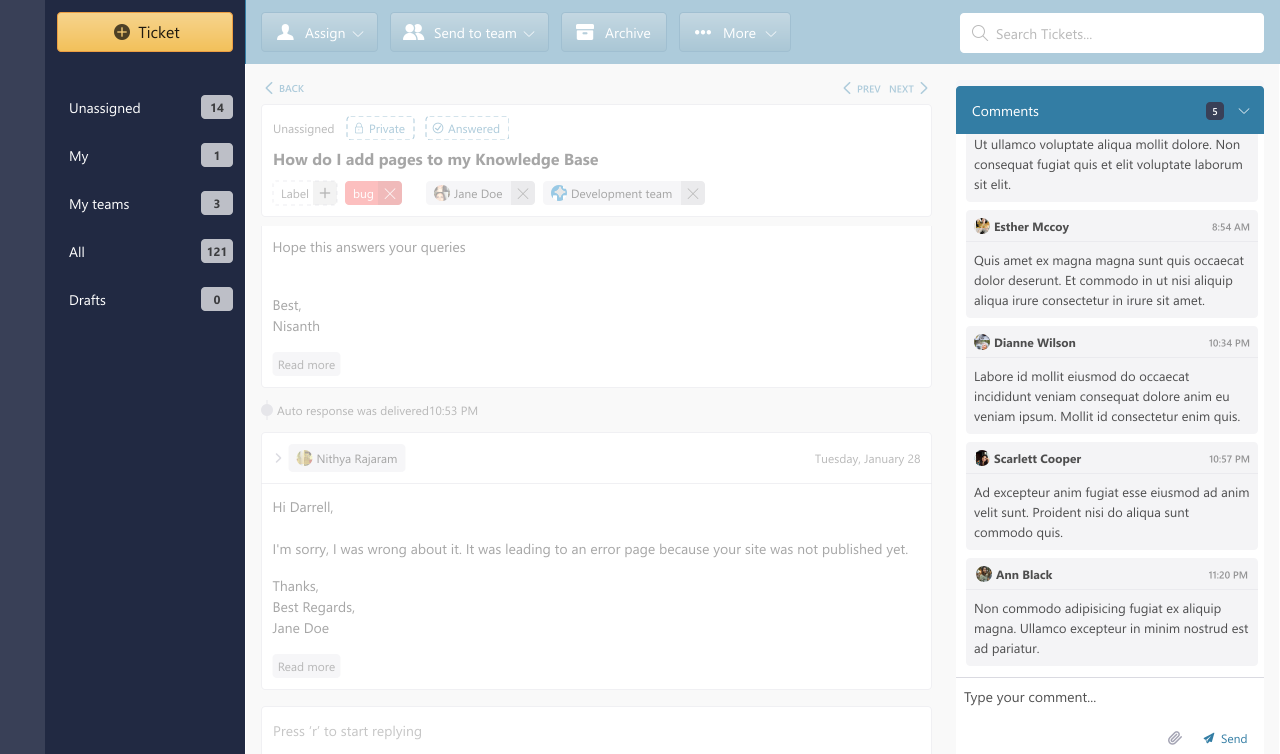
Need input from a colleague before replying? Use comments to have a private conversation right inside the ticket. Comments are never visible to customers -they're a space for your team to discuss, ask questions, and collaborate before sending a response. Tag team members to bring them into the conversation.
Full Audit Trail
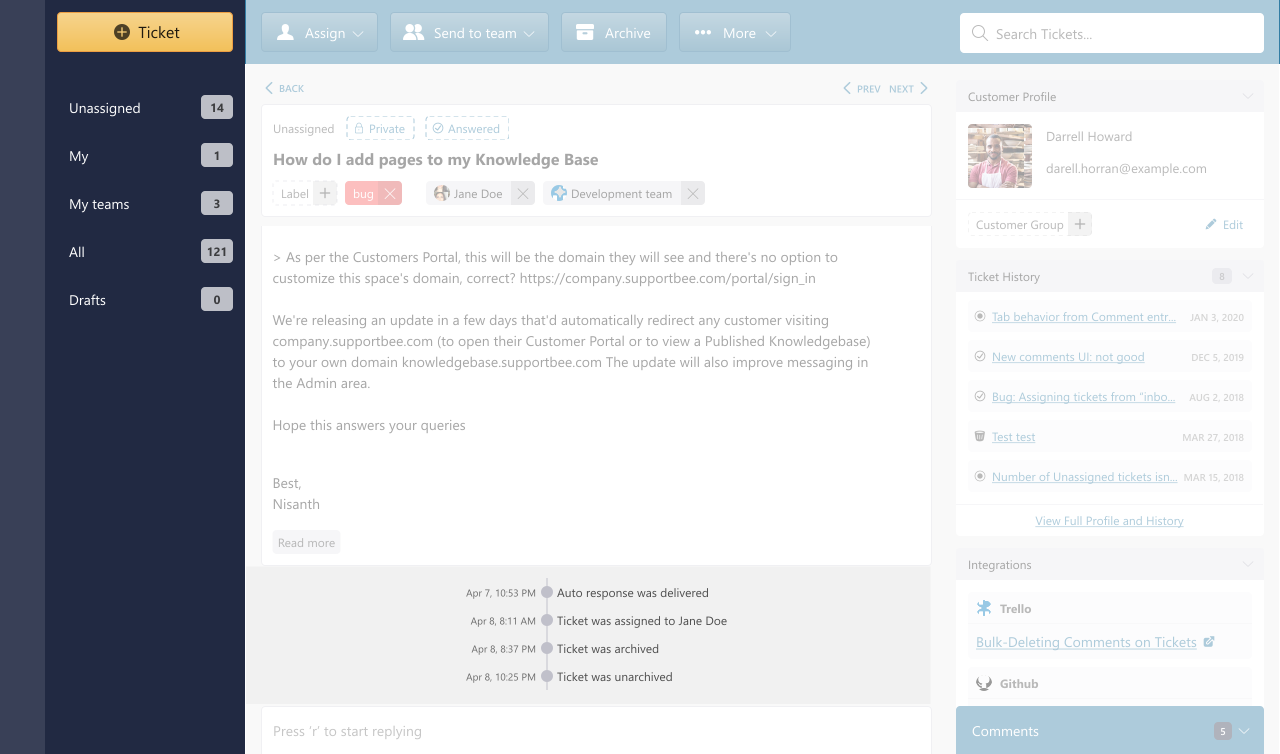
Every action on a ticket is logged -who assigned it, who replied, who archived it, and when. The audit trail gives your team full accountability and makes it easy to trace the history of any customer conversation. This is especially valuable for teams where multiple agents handle the same customers over time.
Powerful enough to organize, simple enough to use
No complex dashboards. No week-long setup. Just a better inbox.
Simple Workflow
Three ticket states -Unanswered, Answered, Archived. Your team always knows what needs attention without checking a dozen status fields.
Full Accountability
Every ticket has an owner. Every action is logged. Your team knows who handled what, and when -with a complete audit trail.
Works Like Email
SupportBee feels familiar from day one. No complex dashboards to learn -just an inbox your team already knows how to use.
Keep your tickets organized as you grow
Labels, search, and merging to manage thousands of tickets without losing track
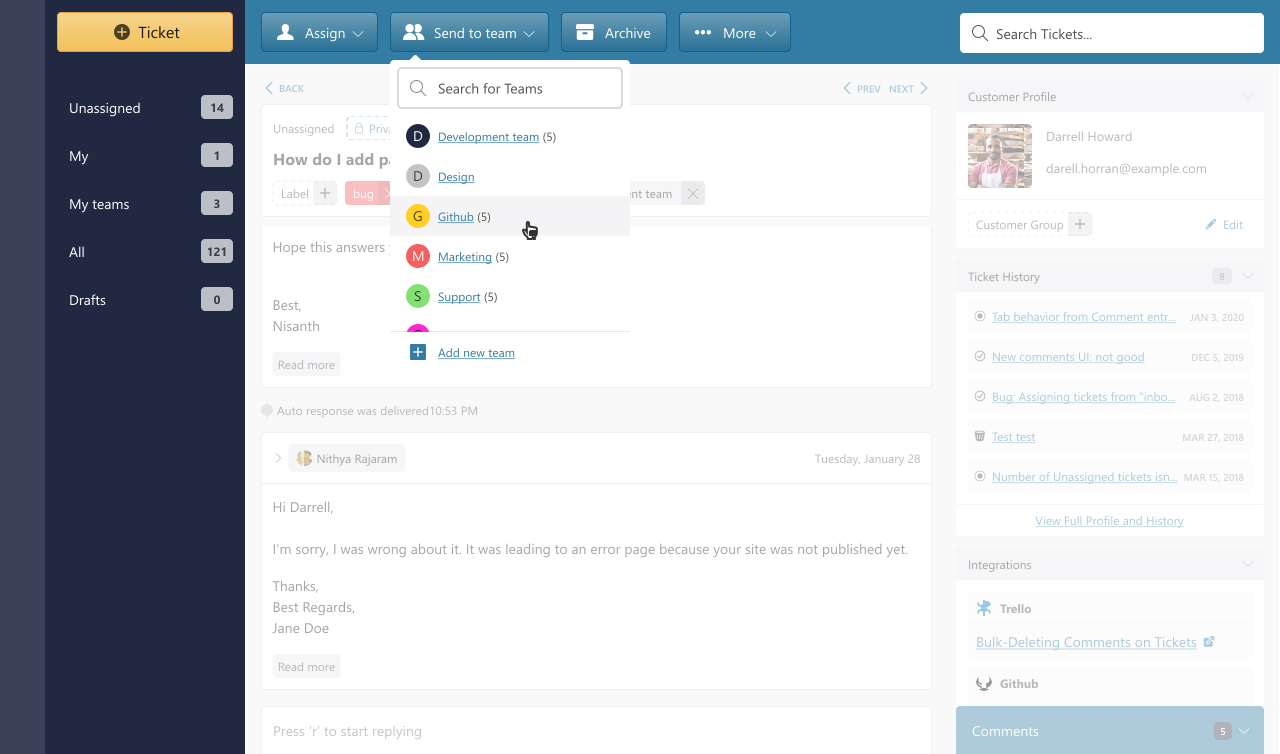
Labels for Categorization
Create custom labels to categorize tickets by topic, priority, product, or anything else that matters to your team. Labels help you filter your inbox at a glance, track trends over time, and run reports by category. Color-code them for quick visual identification.
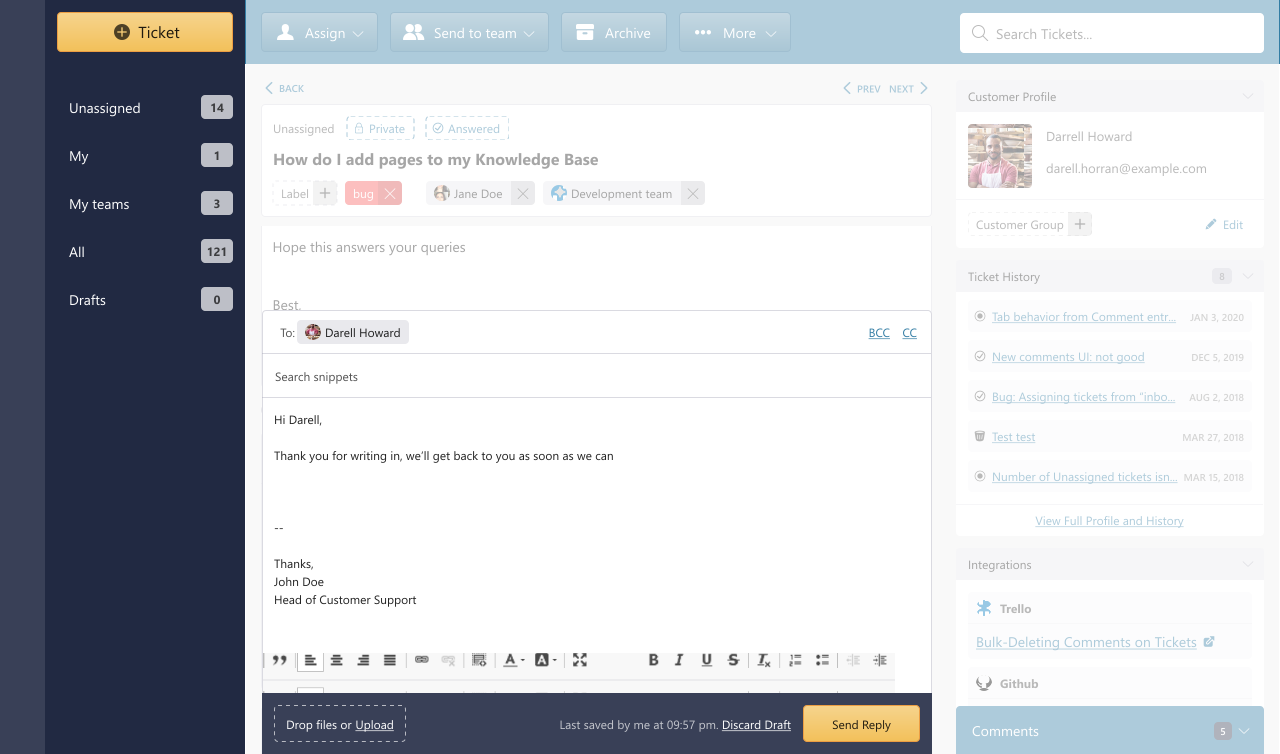
Merge Duplicate Tickets
When a customer sends the same request twice -or follows up from a different email -you can merge the tickets into a single thread. Merging keeps all the context in one place so your team doesn't waste time tracking down related conversations or accidentally sending duplicate replies.
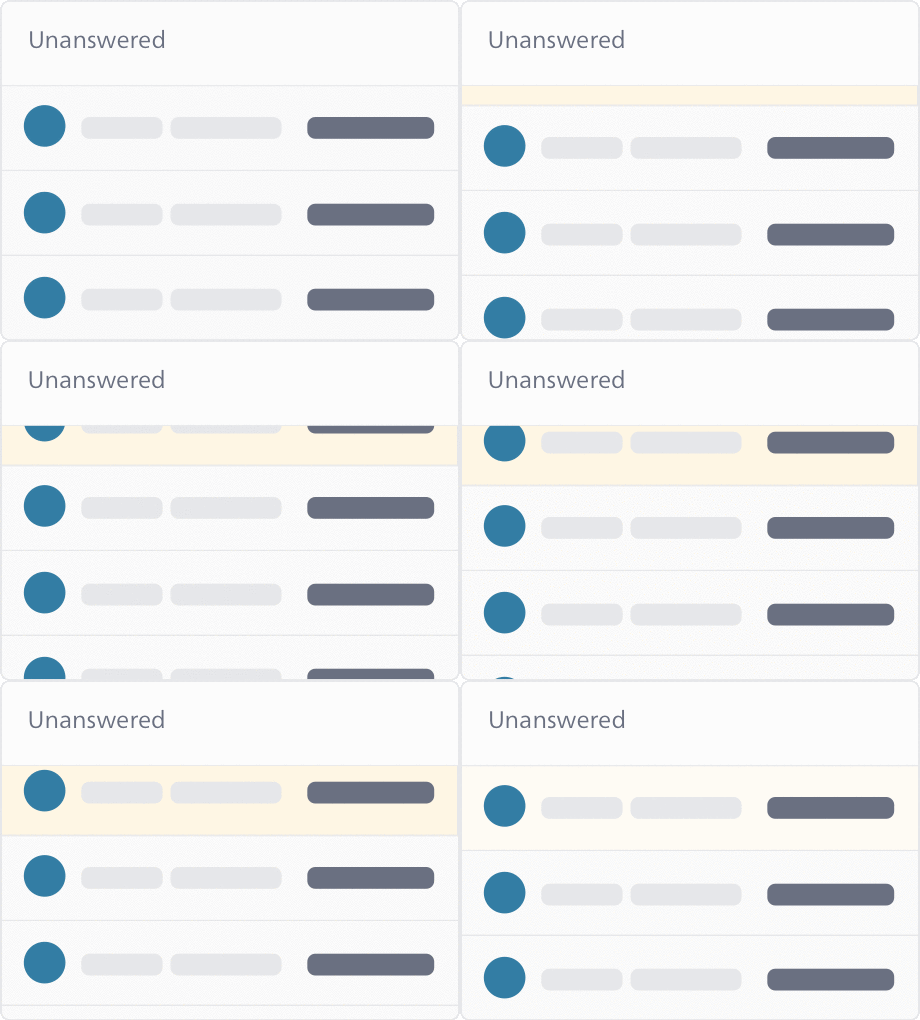
Search and Find Any Ticket
Find any ticket instantly by searching for keywords, customer email addresses, or ticket content. SupportBee's search is powered by Elasticsearch, so results are fast and relevant -even across thousands of tickets and years of conversation history.
Questions about ticket management?
Find answers to the most common questions. Contact us for anything else.
What is ticket management software?
Ticket management software turns incoming customer emails into trackable tickets that your team can organize, assign, and resolve together. Instead of emails sitting in a shared inbox where anyone might reply (or nobody does), each message becomes a ticket with a clear status, owner, and history.
Good ticket management software gives your team a simple workflow to move requests from "received" to "resolved" -with features like assignments, labels, internal comments, and search to keep everything organized. For small and mid-sized teams, the key is finding software that's powerful enough to keep track of everything but simple enough that your team actually uses it.
How is SupportBee's ticket management different from using email?
When your team shares an email account, everyone sees every email but nobody owns any of them. Two agents might reply to the same customer. Important requests get buried under new ones. There's no way to know who handled what, or whether a request was resolved.
SupportBee converts every email into a ticket with a clear state (Unanswered, Answered, or Archived), an optional assignee, and a full history of actions. Agents can leave internal comments, save draft replies for review, and see at a glance which tickets need attention. The interface feels like email -there's no learning curve -but your team gets the accountability and organization that email alone can't provide.
What ticket states does SupportBee support?
SupportBee uses a simple three-state workflow:
Unanswered -The ticket needs a reply. This is the default state for new tickets and for tickets where the customer has written back.
Answered -An agent has replied. The ticket moves here automatically when your team sends a response.
Archived -The conversation is resolved. Archived tickets are out of your active inbox but fully searchable.
Tickets can also be assigned to agents or teams, starred for quick access, and labeled for categorization. This simple workflow means your team always knows exactly what needs their attention without checking multiple status fields or dashboards.
Can I assign tickets to teams and individual agents?
Yes. Every ticket can be assigned to an individual agent, an entire team, or both. When a ticket is assigned to an agent, it appears in their private inbox so they can focus on their own workload. When assigned to a team, any team member can pick it up.
You can also create private teams where only team members can see the assigned tickets -useful for departments like billing or HR that handle sensitive requests. Assignments can be done manually or automatically using filters that route tickets based on sender, subject, or content.
From our blog
Guides and comparisons to help you choose the right support tools.