Auto Assign Tickets After Reply
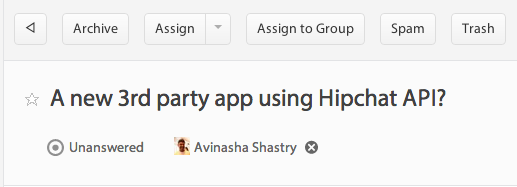
SupportBee's Assign After Reply integration automatically assigns a ticket to the agent who replies to it. No manual assignment step, no dropdown menus. Your agent hits reply, and the ticket becomes theirs.
This solves one of the most common help desk problems: unowned tickets. When nobody is explicitly assigned, tickets slip through the cracks. This integration makes ownership automatic - whoever takes action owns the outcome.
How Auto Assignment Works
When an agent sends a reply on an unassigned ticket, SupportBee automatically assigns that ticket to them. The assignment is visible to the whole team, so everyone knows who is handling what.
The integration also handles reassignment. If a different agent replies to a ticket that is already assigned, the ticket can optionally be reassigned to the new responder. This is useful when shifts change or when a specialist takes over from a generalist.
Here is the flow:
- A customer emails your support address
- SupportBee creates an unassigned ticket in your shared inbox
- An agent reads the ticket and sends a reply
- SupportBee automatically assigns the ticket to that agent
- If another agent replies later, the ticket reassigns to them (if enabled)
- The assigned agent owns the ticket through resolution
Why Auto Assignment Matters
Manual ticket assignment adds friction and creates gaps. Agents forget to assign tickets to themselves. Managers spend time distributing work that could be automatic.
Clear ownership from the first reply. The agent who responds owns the ticket. No ambiguity about who is responsible for follow-up. No orphaned tickets sitting in limbo.
Faster workflows. Remove the extra step of selecting yourself from an assignment dropdown. Over hundreds of tickets per week, this saves real time.
Better accountability. When every replied ticket has an owner, managers can track workload distribution and identify agents who may need help or coaching.
Natural load balancing. Agents self-select tickets they can handle. The first person to reply claims it. This is faster than round-robin assignment for small teams where everyone can see the queue.
When to Use Assign After Reply
This integration fits teams that:
- Self-assign from a shared queue - Agents pick tickets and reply. Assignment follows action.
- Want ownership without overhead - No need for a dispatcher or manual assignment rules.
- Handle multi-reply conversations - The assigned agent stays on the ticket through follow-up messages.
- Rotate between shifts - The reassignment option keeps ownership current even when a different agent picks up a conversation.
For teams with formal assignment workflows (manager assigns, round-robin, skill-based routing), this integration may be too simple. But for teams that trust agents to grab tickets and go, it eliminates an unnecessary step.
Setting Up Assign After Reply
Setup takes less than a minute:
- Open your SupportBee admin panel and go to Integrations
- Find Assign After Reply under the Workflow section
- Click Add to enable it
- Choose whether to reassign tickets when a different agent replies
- Save your settings
The integration applies to all tickets. If an agent replies to an already-assigned ticket and reassignment is disabled, the original assignment stays.
More Workflow Integrations



From our blog
Guides and comparisons to help you choose the right support tools.



Try the Assign After Reply integration free
Set up SupportBee in under five minutes. No credit card required.
Start Free Trial