Best CRM for Customer Service: 15 Tools Compared (2026)
The best CRM for customer service in 2026: 15 tools compared on ticket integration, customer history, help desk pairing, and price. Built for support teams.

A CRM for customer service is a contact and history platform that ties your support tickets to the people behind them - so every agent can see a customer's full story before they reply. Sales CRMs track deals and pipelines. A customer service CRM tracks conversations, tickets, account history, and the channels customers use to reach you. The best ones connect tightly to a help desk so support replies and CRM records stay in sync.
Most CRMs are built for sales first. Support teams have a different job. You need to see the last six emails, the open ticket, the renewal date, and the product plan in one glance - not click through a deal pipeline. That gap is what a customer service CRM closes. According to Salesmate's CRM statistics report, customer support teams sit at roughly 45% CRM adoption - well behind sales - which means many support teams are still choosing between a CRM, a help desk, or both.
Not sure you need a CRM? If your team mostly handles inbound support email, you may get more value from a dedicated help desk or shared inbox than from a full CRM. A help desk tracks the ticket. A CRM tracks the customer. Many support teams start with a help desk and add a CRM later when account history, renewals, and upsells start to matter. The section on CRM vs help desk below covers when you need one, the other, or both.
This guide compares 15 of the best CRM tools for customer service in 2026: which ones pair well with a help desk, which include built-in ticketing, which work natively with Gmail or Outlook, and what each one costs. By the end you will know whether you need an all-in-one suite, a separate CRM that integrates with your existing help desk, or a service-first platform built specifically for support.
Quick comparison: the 15 best CRMs for customer service
| CRM | Best for | Built-in ticketing | Starting price |
|---|---|---|---|
| HubSpot CRM | Small teams that need a free start | Yes (Service Hub) | Free |
| Salesforce Service Cloud | Enterprise teams already on Salesforce | Yes | $25/user/mo |
| Zoho CRM | Affordable bundled CRM + help desk | Via Zoho Desk | Free |
| Freshworks (Freshsales + Freshdesk) | Strong AI on a budget | Yes (Freshdesk) | Free |
| Pipedrive | Sales-led teams that also do support | No (integrates) | $14/user/mo |
| Capsule CRM | Simple, low learning curve | No (integrates) | Free |
| Insightly | Service teams running client projects | Via add-on | Free |
| Kustomer | Support-first teams | Yes (native) | $89/user/mo |
| Monday CRM | Teams already on Monday | No (integrates) | $12/user/mo |
| Zendesk Sell + Support | Teams already on Zendesk | Yes (Support) | $19/user/mo |
| Agile CRM | Small all-in-one teams | Yes | Free |
| SugarCRM | Mid-market with SLAs | Yes (Sugar Serve) | $19/user/mo |
| Copper CRM | Gmail-native teams | No (integrates) | $9/user/mo |
| Nimble | Relationship-led support | No (integrates) | $24.90/user/mo |
| Bitrix24 | Free all-in-one with a contact centre | Yes | Free |
What to look for in a CRM for customer service
Not every CRM is suited for support work. 73% of businesses now use CRM software, but most of those deployments are sales-led. When you evaluate a CRM specifically for customer service, focus on these seven capabilities:
- Unified contact timeline. Your team should see every email, call, and ticket on one screen. No more asking customers to repeat themselves.
- Ticket or case integration. The CRM should either include built-in ticketing or integrate tightly with your help desk so support requests link to customer records.
- Shared inbox support. Teams that handle support over email need a CRM that pairs with a shared inbox. Conversations stay visible and assigned.
- Workflow automation. Look for routing rules, follow-up reminders, and status updates that run on their own. Less admin, more help.
- Reporting and analytics. Track customer satisfaction metrics like response times, resolution rates, and CSAT to see where you can improve.
- Multi-channel coverage. Customers reach out by email, chat, social, and phone. A service CRM should capture every channel in one place.
- Knowledge base hook. Connecting your CRM to a knowledge base lets agents share help articles in one click during a conversation.
15 Best CRM Platforms for Customer Service
1. HubSpot CRM
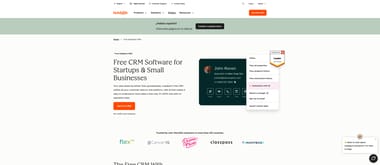
HubSpot CRM has a free tier that includes contact management, deal tracking, and a ticketing system through its Service Hub. For customer service teams, the unified timeline shows every interaction a contact has had - marketing emails, sales calls, support tickets, the lot. The free plan covers most small teams. The Service Hub adds a knowledge base, customer feedback surveys, and conversation routing as you scale.
Key Features:
- Unified contact timeline across sales, marketing, and service
- Built-in ticketing system and conversation inbox
- Customer feedback surveys and NPS tracking
Best For: Small to mid-sized teams that want a free CRM with room to grow into a full service suite.
Cost: Free - $150/user per month (Service Hub)
2. Salesforce Service Cloud
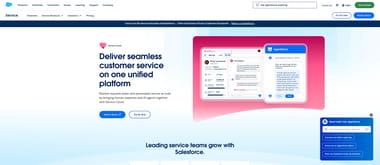
Salesforce Service Cloud is the service-focused product within the Salesforce ecosystem. It handles case management, omnichannel routing, and AI-powered recommendations through Einstein. For teams already using Salesforce for sales, Service Cloud gives agents access to the full customer record without switching platforms. The AppExchange marketplace adds thousands of integrations for everything else.
Key Features:
- AI-powered case classification and routing
- Omnichannel support across email, chat, phone, and social
- Customizable dashboards and reporting
Best For: Mid-sized to enterprise teams that need deep customization and already use Salesforce.
Cost: $25 - $330/user per month
3. Zoho CRM
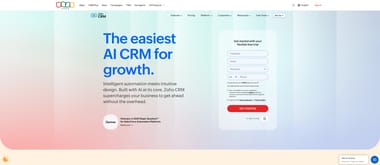
Zoho CRM is part of the broader Zoho ecosystem, which also includes Zoho Desk for help desk support. When paired together, agents see CRM contact details directly inside support tickets and vice versa. Zoho CRM includes workflow automation, AI-powered predictions through Zia, and multichannel communication tools. Pricing is competitive, which makes it accessible for smaller teams.
Key Features:
- Tight integration with Zoho Desk for unified support
- AI assistant (Zia) for predictions and anomaly detection
- Workflow automation with custom rules and triggers
Best For: Teams looking for an affordable, integrated CRM and help desk from a single vendor.
Cost: Free - $52/user per month
4. Freshworks CRM (Freshsales + Freshdesk)
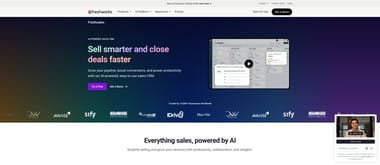
Freshworks offers Freshsales for CRM and Freshdesk for customer support, and the two products integrate closely. The Freshworks Customer Service Suite bundles both into one package, giving agents a single view of customer data alongside support tickets. The AI engine, Freddy, helps with lead scoring, ticket prioritisation, and suggested responses.
Key Features:
- Unified customer view across sales and support
- AI-powered ticket prioritization and response suggestions
- Built-in phone, email, and chat channels
Best For: Teams that want CRM and help desk functionality from a single platform with strong AI features.
Cost: Free - $69/user per month (Freshsales); Freshdesk from $15/agent per month
5. Pipedrive
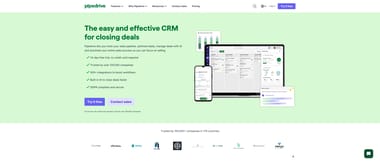
Pipedrive is a sales-focused CRM known for its visual pipeline management. For customer service, it earns its place when support teams need visibility into deal stages and customer context. Pipedrive integrates with help desk tools to link support conversations to contact records. SupportBee users can connect Pipedrive through the Pipedrive integration to sync customer data between both platforms.
Key Features:
- Visual deal pipeline with drag-and-drop interface
- Activity-based workflow automation
- Contact timeline with full communication history
Best For: Sales-driven teams where customer service agents need deal context to provide better support.
Cost: $14 - $99/user per month
6. Capsule CRM
Capsule CRM focuses on simplicity and relationship management. It gives teams a clear view of contacts, organisations, and communication history without the complexity of larger platforms. Task management features help service teams track follow-ups. Integration options connect Capsule to popular help desk and email tools. SupportBee users can link customer records through the Capsule CRM integration.
Key Features:
- Clean contact management with custom fields and tags
- Task tracking and follow-up reminders
- Sales pipeline alongside customer interaction history
Best For: Small teams that want a straightforward CRM without a steep learning curve.
Cost: Free - $72/user per month
7. Insightly
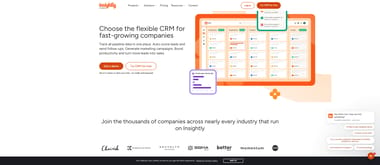
Insightly combines CRM with project management. That makes it useful for service teams that handle ongoing client projects alongside support requests. Its relationship-linking feature connects contacts, organisations, and projects so agents can see the full picture. SupportBee integrates with Insightly through the Insightly integration, so teams can create and update CRM records directly from support tickets.
Key Features:
- Relationship linking between contacts, organizations, and projects
- Project management tools built into the CRM
- Customizable dashboards and reports
Best For: Service teams that manage both support tickets and client projects.
Cost: Free - $99/user per month
8. Kustomer
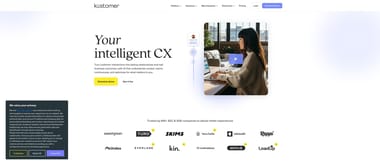
Kustomer was built from the ground up as a customer service CRM. Unlike traditional CRMs adapted for support, Kustomer centers its interface around a timeline view of every customer interaction across all channels. This includes emails, chats, phone calls, social messages, and order history. The platform uses AI to classify and route conversations, and agents can take action without switching between tools.
Key Features:
- Omnichannel timeline view of every customer interaction
- AI-powered classification, routing, and suggested responses
- Built-in knowledge base and self-service portal
Best For: Support-first teams that want a CRM designed specifically for customer service rather than adapted from sales.
Cost: $89/user per month
9. Monday CRM
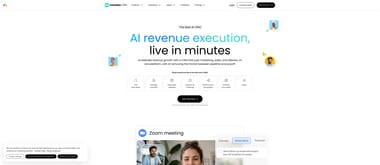
Monday CRM is built on top of the Monday.com work management platform. It offers customisable boards for tracking contacts, deals, and customer interactions. For service teams, the flexibility of Monday's board system means you can build custom workflows for support tracking, escalation management, and follow-ups. The visual interface makes it easy to see the status of every customer interaction at a glance.
Key Features:
- Highly customizable boards and workflow automations
- Visual dashboards for tracking team performance
- Integration with email, calendar, and third-party apps
Best For: Teams that already use Monday.com for project management and want CRM capabilities in the same platform.
Cost: $12 - $28/user per month
10. Zendesk Sell + Support
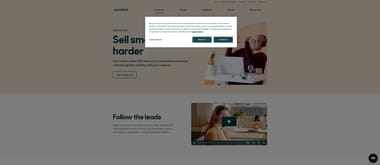
Zendesk Sell is the CRM component of the Zendesk suite, and it integrates directly with Zendesk Support. When both products are used together, agents see sales context alongside support tickets. The Sell sidebar inside Support tickets shows deal information, contact details, and recent activity. This is useful for teams where sales and support overlap, like account management or customer success.
Key Features:
- Integrated CRM sidebar within Zendesk Support tickets
- Sales pipeline management with email and call tracking
- Unified reporting across sales and support
Best For: Teams already using Zendesk Support that want to add CRM capabilities without switching platforms.
Cost: $19 - $169/user per month (Sell); Support plans from $19/agent per month
11. Agile CRM
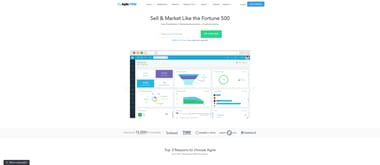
Agile CRM is an all-in-one platform that bundles sales, marketing, and service tools into a single product. The service module includes help desk ticketing, canned responses, and a knowledge base. The free plan supports up to 10 users with basic CRM and help desk features. The marketing automation tools are a bonus for teams that handle both outbound campaigns and inbound support.
Key Features:
- Help desk ticketing with smart views and prioritization
- Marketing automation alongside service tools
- Integration with Google Apps and social media channels
Best For: Small teams that need CRM, marketing, and service tools in one affordable package.
Cost: Free - $47.99/user per month
12. SugarCRM
SugarCRM offers separate products for sales (Sugar Sell), marketing (Sugar Market), and service (Sugar Serve). Sugar Serve provides case management, SLA tracking, and a self-service portal for customers. The platform leans into AI-powered predictions and automation that reduce manual data entry and surface actionable insights for agents.
Key Features:
- SLA management and case routing
- AI-powered predictions for customer churn and case escalation
- Self-service portal and knowledge base
Best For: Mid-sized teams that want AI-driven automation and separate modules for sales, marketing, and service.
Cost: $19 - $135/user per month
13. Copper CRM
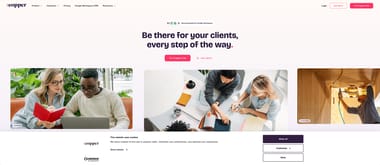
Copper CRM is designed to work natively inside Google Workspace. It lives in a sidebar within Gmail and Google Calendar, so agents can manage contacts, log interactions, and update records without leaving their inbox. For service teams that rely heavily on Gmail for customer communication, Copper removes the context-switching that comes with a separate CRM interface.
Key Features:
- Native Google Workspace integration (Gmail, Calendar, Drive)
- Automatic contact and activity logging from email
- Pipeline management with custom stages
Best For: Teams that run their support and communication through Google Workspace.
Cost: $9 - $134/user per month
14. Nimble
Nimble is a relationship-focused CRM that automatically enriches contact records with social media profiles, company data, and interaction history. The browser extension and email sidebar let agents access contact details from anywhere they work. For service teams, Nimble is useful for keeping rich customer profiles without manual data entry, which makes support replies feel more personal.
Key Features:
- Automatic contact enrichment from social media and web data
- Browser extension for accessing CRM data from any website
- Unified inbox for email and social messaging
Best For: Teams that value relationship context and want automated contact enrichment without manual entry.
Cost: $24.90/user per month
15. Bitrix24
Bitrix24 is a broad business platform that bundles CRM, project management, communication tools, and a contact centre. The CRM side handles contacts, deals, and customer interactions. The built-in contact centre supports email, phone, live chat, and social media channels. The free plan covers basic CRM and communication features for up to 5 users.
Key Features:
- Built-in contact center with phone, chat, and social channels
- CRM with pipeline management and workflow automation
- Team collaboration tools including chat, video calls, and task management
Best For: Teams that want an all-in-one platform covering CRM, communication, and project management.
Cost: Free - $399/month (for the organization, not per user)
How to choose the right CRM for your team
With 15 options on the table, narrowing down comes down to five practical questions:
How big is your team? Smaller teams do well with simple tools like Capsule CRM or Nimble. They are quick to set up. They are easy to learn. For a broader comparison focused on small teams, see our guide to the best CRM tools for small businesses. Larger teams may need the depth of Salesforce Service Cloud or SugarCRM.
Do you want one tool or two? Platforms like Kustomer, Freshworks, and Agile CRM bundle CRM and help desk into one product. If you already have a help desk you like, pick a CRM that integrates with it. Do not replace what works.
What channels do your customers use? If most of your support comes through email, a CRM that pairs with a shared inbox tool will serve you better than one built for phone and chat.
What is your budget? Several CRMs on this list have free tiers: HubSpot, Zoho, Agile CRM, and Bitrix24. They are good starting points. Just check the limits of each free plan before you commit.
How important are integrations? If your team already uses specific tools for email, project management, or communication, check the CRM connects to them. A CRM that fits your existing workflow will see better adoption than one that asks your team to change how they work.
CRM vs help desk: do you need both?
A CRM and a help desk solve different problems. A help desk handles the ticket: who replied, when, with what, and whether it is resolved. A CRM handles the relationship: who the customer is, what they bought, how long they have been with you, and which conversations matter for retention.
If you are searching for "CRM for customer service" because your team needs a better way to handle support email, a shared inbox or help desk might be the more direct solution. Many teams adopt a CRM expecting it to fix their support workflow, then discover they needed a ticketing system all along. The CRM becomes useful later, once you need account-level context on top of ticket-level operations.
Smaller teams often start with just a help desk because every ticket is the relationship. As the business grows and renewals, upsells, and account history start to matter, a CRM becomes the second layer. The two then need to talk to each other.
Three patterns cover most teams:
- All-in-one platforms (Freshworks, Zoho, HubSpot, Kustomer) - one product covers both. Lower friction, less choice in either piece.
- CRM + help desk pair from the same vendor (Zendesk Sell + Support, Zoho CRM + Zoho Desk, Freshsales + Freshdesk) - clean integration, but you pay for both.
- Best-of-breed CRM + best-of-breed help desk (e.g. Pipedrive + SupportBee, HubSpot + Help Scout) - the most flexible setup. You get to pick the best tool for each job. The trade-off is the integration work.
Most growing teams end at pattern 3. Single-vendor bundles are easier on day one. Best-of-breed pairings hold up better as either tool's competitive landscape shifts.
Integrating your CRM with a help desk
A CRM is far more useful for customer service when it talks to your help desk. Without that link, agents toggle between systems. They copy details from one screen to another. They waste time that could go to helping customers.
SupportBee integrates with several CRM platforms to pull customer data into the support ticket. When a new ticket arrives, the agent sees the customer's CRM profile, past interactions, and account details right inside SupportBee. Replies feel more personal. Resolutions come faster.
SupportBee offers direct integrations with three CRM platforms:
- Capsule CRM - View and create Capsule contacts and cases directly from SupportBee tickets.
- Insightly - Link SupportBee tickets to Insightly contacts and create tasks or notes in your CRM.
- Pipedrive - Access Pipedrive deal and contact information alongside your support conversations.
These integrations give your service team the context they need without forcing them to switch between tools. If your CRM is not listed, SupportBee's API and third-party connectors like Zapier can help you build a custom connection.
For a deeper look at how customer service software fits into your support stack, including help desk, chat, and social tools, check out our comprehensive guide.
Final Thoughts
The right CRM for customer service is one that gives your team fast access to customer context, reduces manual busywork, and connects to the tools you already use. Whether you choose a service-first platform like Kustomer or a flexible option like HubSpot CRM, the key is to make sure your customer data flows between your CRM and your help desk without friction.
If your team manages customer support through email, SupportBee pairs well with CRM tools to keep conversations organized and customer records accessible — with a shared inbox, knowledge base, and customer portal at a flat per-user price. Start a free trial to see how it complements your CRM.
Frequently Asked Questions
What is a CRM for customer service?
A CRM for customer service is a platform that ties support tickets to the customer record behind them. It gives agents one screen for contact details, account history, communication history, and open tickets. Sales CRMs are built around deal pipelines. A customer service CRM is built around conversations and resolutions.
What is the best CRM for customer service?
The best CRM for customer service depends on what else you run. HubSpot CRM is the strongest free starting point. Salesforce Service Cloud is the deepest enterprise option. Kustomer is the best support-first CRM. Zoho CRM and Freshworks are the best bundled CRM and help desk pairings on a budget. For a broader look at customer service software beyond CRM, see our guide to the best customer service software.
Can you use a CRM as a help desk?
Some CRMs include help desk features like ticketing, case management, and knowledge bases. Platforms like Kustomer, Agile CRM, and Freshworks bundle CRM and help desk capabilities into one product. For email-based support workflows though, a dedicated help desk like SupportBee usually wins on day-to-day usability. Most teams pair a CRM with a help desk rather than relying on a CRM to cover both jobs.
What CRM is used in customer service the most?
In small and mid-market customer service, HubSpot CRM and Zoho CRM dominate because of their free tiers and bundled help desk options. In enterprise, Salesforce Service Cloud is the most common choice, especially in companies already running Salesforce for sales. Zendesk Sell + Support is common in teams that adopted Zendesk for ticketing first.
What is the difference between a CRM and a help desk?
A help desk handles tickets: incoming requests, replies, status, SLA. A CRM handles the customer: identity, account history, deals, renewals, lifecycle. The line blurs because both touch the same conversation, but the systems-of-record are different. Most growing support teams end up running both, with an integration that pulls customer context from the CRM into each ticket.
What CRM tools are used in BPO?
BPO operations need CRMs that handle high ticket volume across multiple channels. The common choices are Salesforce Service Cloud for scale and customisation, Zoho CRM for cost, Bitrix24 for its built-in contact centre, and Freshworks for combined CRM and help desk. BPOs prioritise omnichannel routing, workflow automation, and detailed reporting to manage large agent pools.
What is the best CRM with a shared inbox?
For teams that handle customer support through email, a CRM that pairs with a shared inbox tool is the strongest setup. HubSpot CRM includes a built-in conversation inbox. Copper CRM works natively inside Gmail. For a dedicated shared inbox, pairing your CRM with SupportBee gives teams customer context and collaborative email management in one workflow.